


Model Deployment and Configuration
Model Configuration and Deployment involves several critical components to ensure effective and accurate performance. The Asset Model Library serves as a repository of predefined models and definitions, providing a foundation for building and configuring models. Model Configuration involves setting up these models with specific parameters and conditions tailored to the application. Expert Fault Modeling leverages domain expertise to identify and simulate potential faults, enhancing the model’s predictive capabilities.
To access the Model Configuration and Deployment module, go to Genix Platform > Digital App Center > My Apps > APM Model Configuration and Deployment > Model Configuration and Deployment.
The Model Deployment and Configuration consists off the following modules:
-
Asset Model Library and Model Definition— Provides physics-based and AI/ML models to monitor asset health through rule- and threshold-based checks.
-
Labelled Data Modelling— Builds predictive models using labelled datasets for supervised fault detection.
-
Model Configuration— Links equipment to asset models to enable condition monitoring.
-
Expert Fault Modeling— Uses diagnostic and performance models with ML to predict faults and assess asset health at system or fleet level.
-
Vibration Model Library— Stores predefined vibration models for fault mapping and parameter assessment.
-
Vibration Model Configuration— Assigns vibration models to assets for high-frequency signal analysis and target setup.
-
Digital Twin Configuration— Provides a dashboard to view, search, manage, and interact with virtual replicas of assets in real time.
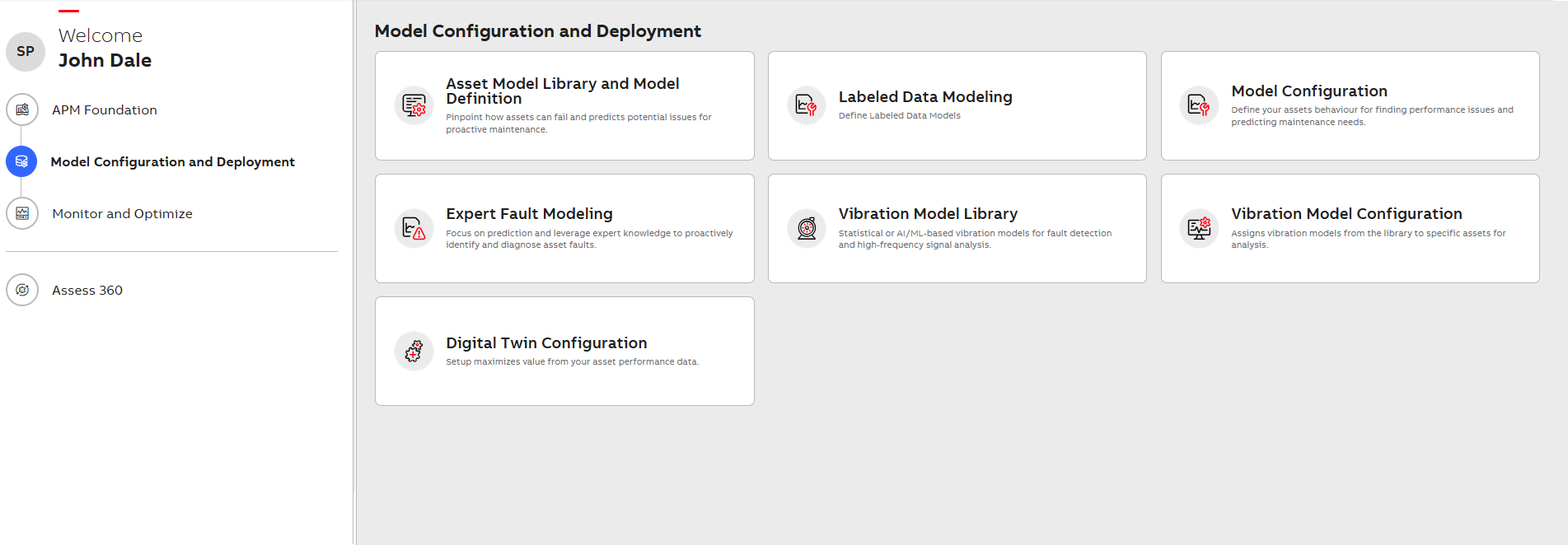
Model Configuration and Deployment
Related Topics